
Divi: From Visual Page Builder to AI Website Assistant
Divi AI initially introduced the ability to generate website copy, create images, write custom CSS, and generate page layouts. More recently, the introduction of Divi 5’s AI Agent has taken things considerably further.
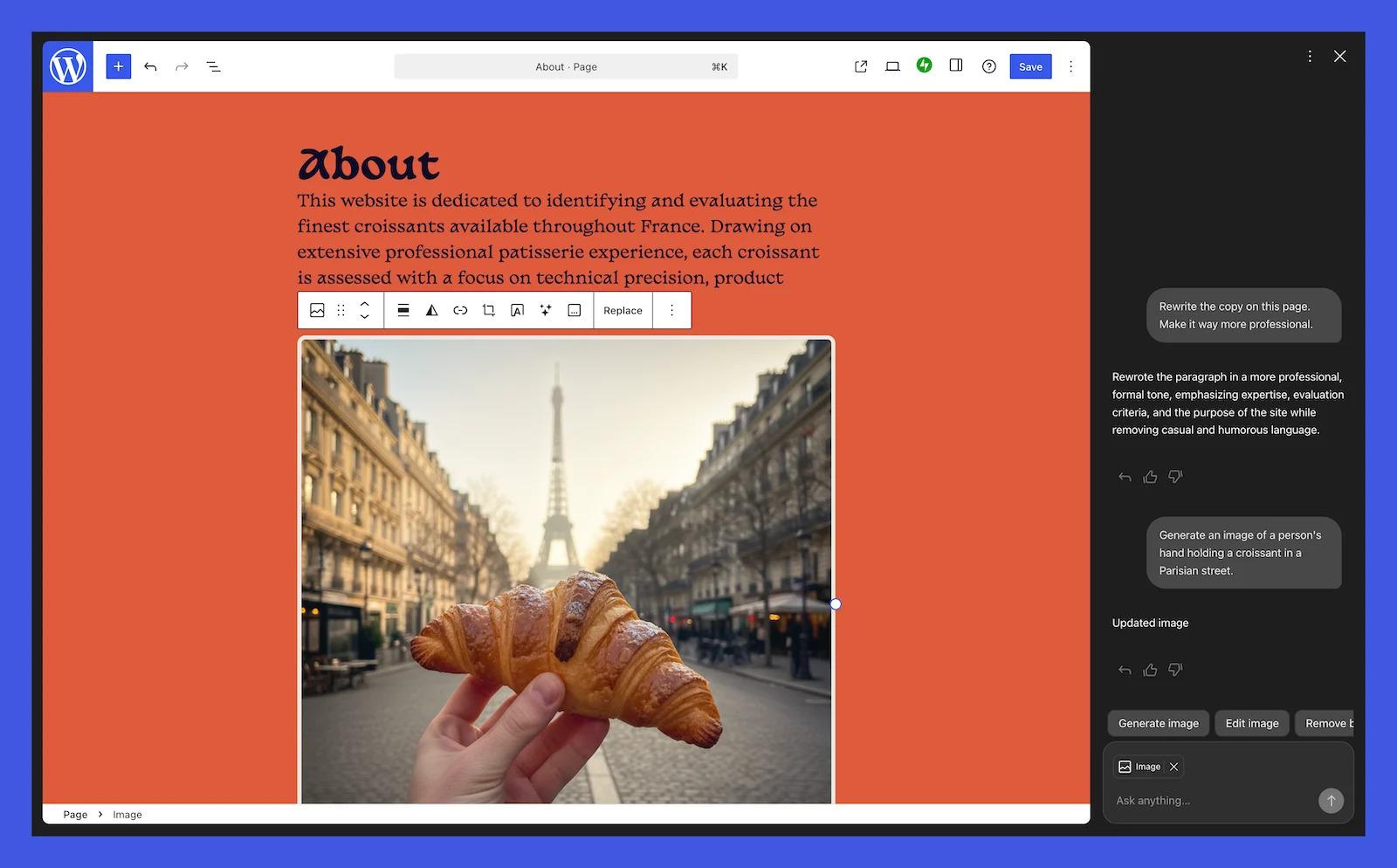
Instead of simply asking AI to generate a paragraph or an image, you can now give the Divi AI Agent instructions in ordinary conversational language. Want to redesign a section of your homepage? Change the typography throughout your website? Create a new page, rearrange navigation menus, or modify an existing layout? You can describe the changes and let the AI Agent carry out much of the work.
This is an important distinction. We’re moving from AI as a content-generation tool to AI as an active website-building assistant.
For someone who understands what they want but doesn’t necessarily know where to find every setting in Divi, this could be a tremendous time-saver.
Divi AI Agent — The official explanation of how the new AI Agent works in Divi 5. Particularly interesting because it demonstrates how AI can actually manipulate a website rather than simply generate text.
Divi AI Agent – Elegant Themes
Elementor Is Taking a Similar Approach
Elementor, another enormously popular WordPress page builder, has been developing its own collection of AI-powered features.
Elementor AI integrates directly into its editing environment. Users can generate headlines, write paragraphs, create images, produce custom CSS and HTML, and build layouts without leaving the familiar Elementor interface.
Imagine creating an About Us page for your small business. Rather than staring at a blank page, you can provide a description of your business, identify your target audience, and ask Elementor AI to generate an initial layout and accompanying content.
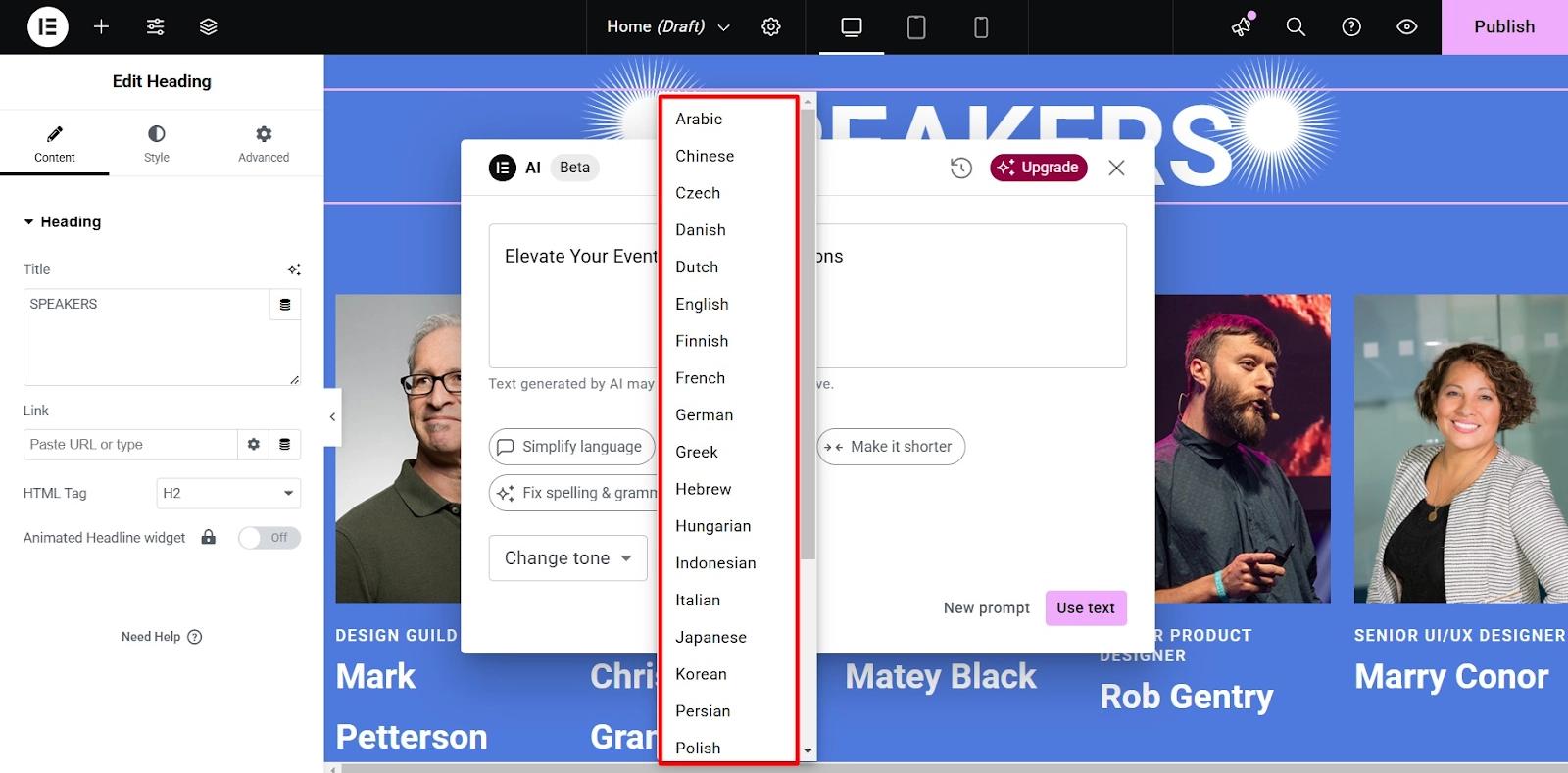
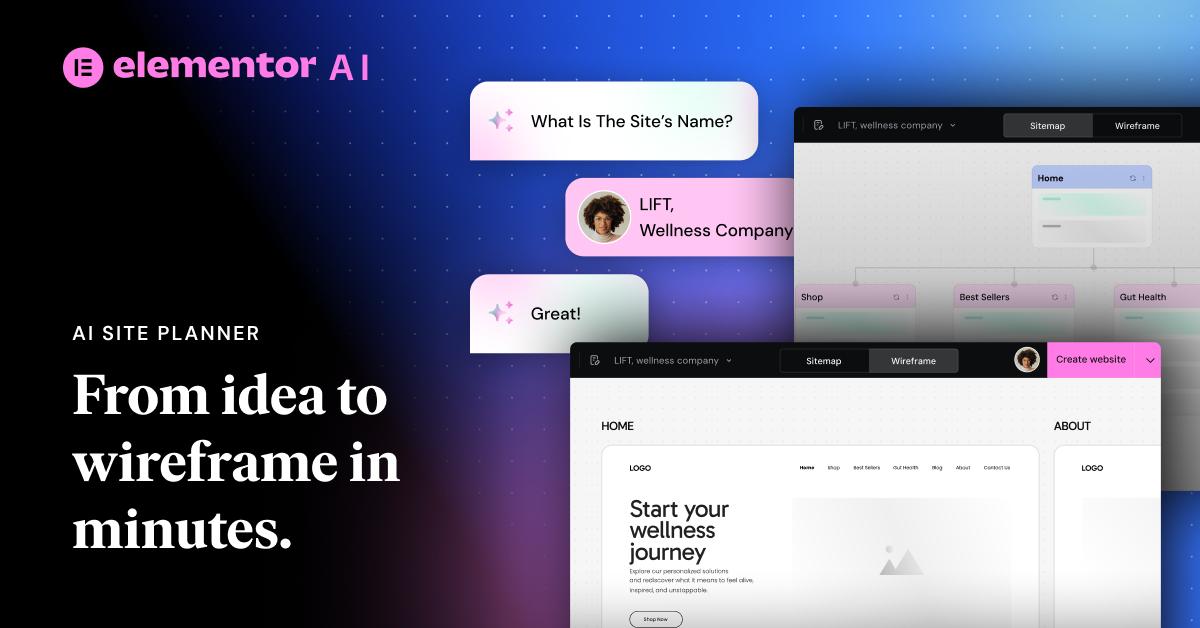
You can then refine the wording, change the imagery, adjust the design, and ask AI to help with custom styling.
Elementor also offers AI-assisted website planning and design tools that help move a project from an initial concept toward a working website.
The general philosophy is similar to Divi: eliminate repetitive tasks, reduce the need to understand every technical detail, and let the website owner concentrate more on the finished product.
Instead of simply asking AI to generate a paragraph or an image, you can now give the Divi AI Agent instructions in ordinary conversational language. Want to redesign a section of your homepage? Change the typography throughout your website? Create a new page, rearrange navigation menus, or modify an existing layout? You can describe the changes and let the AI Agent carry out much of the work.
This is an important distinction. We’re moving from AI as a content-generation tool to AI as an active website-building assistant.
For someone who understands what they want but doesn’t necessarily know where to find every setting in Divi, this could be a tremendous time-saver.
Elementor AI — Elementor’s explanation of its integrated AI tools, including text, images, layouts, and custom code.
Elementor AI
What Does This Mean for the DIY Website Owner?
This is where things get interesting.
For years, the biggest obstacle for many small business owners has been the technical learning curve associated with building and maintaining a website. Even with user-friendly page builders, there’s still a lot to understand.
You need to know something about typography, image sizing, responsive design, navigation, search engine optimization, page structure, and content organization. And when something doesn’t look right, figuring out which setting needs adjustment can be frustrating.
AI has the potential to remove some of those obstacles.
A small business owner could potentially describe a desired homepage, generate an initial design, create supporting images, write introductory content, and have a reasonably presentable website in a fraction of the time it would traditionally take.
That’s a significant improvement.
However, there’s another side to this story.
AI-generated websites aren’t necessarily good websites. They can look polished while containing generic content, poorly considered navigation, inconsistent design decisions, or information that simply isn’t accurate.
A website isn’t successful just because it looks attractive. It needs to communicate effectively, represent the business accurately, load efficiently, work on mobile devices, and give visitors a reason to take action.
AI can help accomplish those things, but it doesn’t automatically understand the business, its customers, or its personality.
WordPress AI Guidelines — WordPress’s own discussion of responsible AI use, quality control, and the importance of reviewing AI-generated contributions.
WordPress AI Guidelines
The Potential Downside: More Features, More Complexity
Here’s my concern.
We’ve all seen what happens when software developers keep adding features. What begins as a relatively straightforward application gradually becomes a complicated collection of menus, options, settings, subscriptions, and configuration screens.
WordPress already has an enormous ecosystem of themes and plugins. Add AI writing assistants, image generators, layout generators, AI agents, SEO assistants, and automated website management tools, and things can become overwhelming.
Consider the average DIY website owner. They may already struggle to understand the difference between WordPress itself, their theme, their page builder, their hosting control panel, and the collection of plugins they’ve installed.
Now introduce an AI assistant capable of changing layouts, modifying CSS, creating pages, and potentially altering site-wide settings.
What happens when it makes a change the owner doesn’t understand? What happens when two plugins offer competing AI features? And what happens when a website owner becomes dependent on an AI service that requires an additional subscription?
These aren’t hypothetical concerns. They’re practical considerations that anyone managing a business website should keep in mind.
WordPress AI-Powered Development — An interesting look at how WordPress is building a common AI infrastructure for themes, plugins, and website management.
WordPress 7.0 and AI Infrastructure
There is also the question of quality control. AI can generate convincing content, but convincing doesn’t necessarily mean correct. Website owners still need to review their content, verify factual claims, protect their customers’ information, and understand what changes are being made to their websites.
Will AI Replace the Need for a Web Designer?
I don’t think so. At least, not entirely.
I do believe AI will reduce the amount of time required to build many types of websites. It will also make certain design and development tasks accessible to people who previously lacked the technical skills to perform them.
But there’s a considerable difference between building a website and building an effective website.
An experienced designer understands visual hierarchy, branding, user experience, conversion paths, accessibility, and the importance of consistency. A good developer understands performance, security, hosting environments, database management, and what can go wrong when different components of a website interact.
AI can assist with all of these things, but it doesn’t eliminate the need for judgment and experience.
In fact, I suspect that people who understand website design and development will become even more productive with these tools. Rather than spending time on repetitive tasks, they can concentrate on the more important aspects of a project.
For the DIY crowd, AI could be an excellent assistant. For experienced developers, it could become an extremely useful productivity tool.
Neither group should assume that AI makes expertise unnecessary.
My Take: AI Should Make Website Ownership Easier, Not More Complicated
I see enormous potential in what Divi, Elementor, and the broader WordPress community are doing with artificial intelligence.
The most promising development isn’t simply generating website copy or producing an attractive image. It’s the ability to interact with a website using ordinary language and have the software actually perform the requested work.
That’s a fundamental change in how people interact with website-building software.
My hope is that developers will resist the temptation to turn their products into increasingly complicated collections of AI features. The real winner will be the platform that makes powerful technology feel simpler, not the one that offers the most buttons and the longest list of features.
For someone building a personal website, a photography portfolio, a local business website, or a small online store, AI should mean less time wrestling with technology and more time doing what they actually want to do.
And there’s one final consideration: Don’t let the convenience of AI convince you to stop understanding your own website. Keep backups, understand your hosting environment, know which plugins you’re using, and review significant changes before publishing them.
Artificial intelligence is becoming an important part of the WordPress ecosystem. I believe that’s a good thing.
But the ultimate measure of its success won’t be how many tasks AI can perform. It will be whether ordinary people can build, maintain, and manage better websites with less frustration.
That’s the promise worth watching.
WordPress AI Safety Recommendations — Practical advice about testing AI-generated changes, protecting your live website, and maintaining control of your WordPress installation.
Building Themes and Plugins Safely with AI